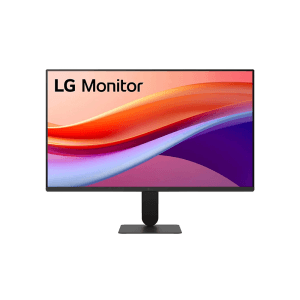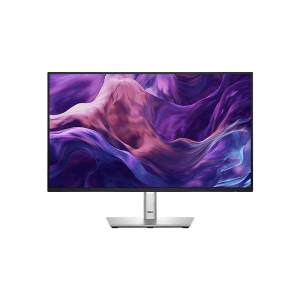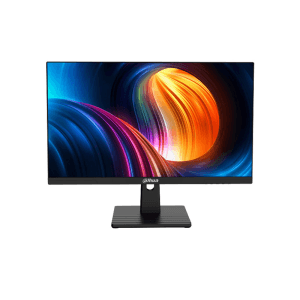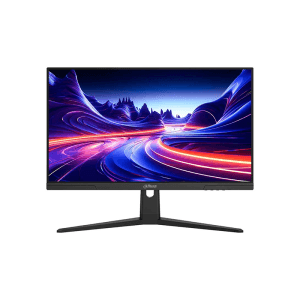
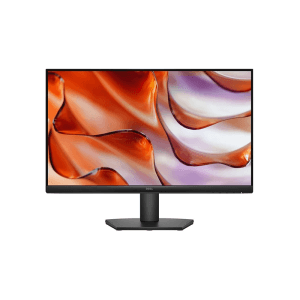
Dell SE2425HM 24-inch 100Hz FHD IPS Monitor
৳ 16,999
Showing: (5 Items)
Filters
Price Range
Screen Size
Resolution
Panel Type
Refresh Rate
Features
Brands
A 24-inch monitor is a good size. Not too big, not too small. It fits office work, study, browsing, coding, movies, and gaming. And it still leaves room on your desk.
It also works well for home Personal Computers. Or for two-monitor setups, if that's your plan. Most 24-inch monitors come with Full HD screens. Some have higher resolution. Some have faster refresh rates. You will also see 23.8-inch and 24.5-inch models under this same category. So don't get confused if a "24 inch" monitor is not exactly 24 inches. That's normal here.
Price changes with panel type, resolution, refresh rate, brand, ports, and a few extra features. All these things together decide 24 Inch Monitor Price in Bangladesh.
Price mostly depends on what you need. A basic FHD monitor is enough for daily use. Gaming and professional monitors cost more. They have faster refresh rates, better panels, or extra features.
|
24 Inch Monitor Type |
Typical Specifications |
Approx. Price Range |
Best For |
|
Basic FHD Monitor |
60–75Hz, HDMI/VGA |
৳10,000–৳15,000 |
Study & basic office work |
|
FHD IPS Monitor |
IPS, 75–100Hz |
৳13,000–৳20,000 |
Office & everyday use |
|
100–120Hz Monitor |
FHD, IPS, 100–120Hz |
৳13,000–৳22,000 |
Work & entertainment |
|
144–165Hz Gaming Monitor |
FHD, fast response, Adaptive Sync |
৳18,000–৳27,000 |
Gaming |
|
180Hz+ Gaming Monitor |
FHD, high refresh rate, IPS |
৳22,000–৳30,000+ |
Competitive gaming |
|
Professional 24 Inch Monitor |
IPS, better color, ergonomic features |
৳20,000–৳35,000+ |
Design & professional work |
*Ranges above are indicative. Actual price can shift with model, brand, stock, and offers. So, to know the latest price or availability, make sure to visit Apple Gadgets.
Apple Gadgets has many 24-inch monitors. You will find several brand monitors; some are made for daily work. Some are made for gaming.
|
Monitor Model |
Screen /embed/apple-gadgets/ Resolution |
Panel |
Refresh Rate |
Best For |
|
23.8", FHD |
IPS |
100Hz |
Office & study |
|
|
23.8", FHD |
IPS |
100Hz |
Work & gaming |
|
|
24", FHD |
IPS |
100Hz+ |
Gaming & productivity |
|
|
24", FHD |
IPS |
120Hz |
Gaming & creative work |
|
|
24", FHD |
IPS |
144Hz |
Work & gaming |
|
|
24", FHD |
IPS |
120Hz |
Work & entertainment |
|
|
24", FHD |
IPS |
240Hz |
Competitive gaming |
Stock and price can change. Always check product page before you buy.
Full HD is still popular at this size. It gives 1920 × 1080 resolution. Text looks clear. Images look sharp. And it does not need a very strong PC to run. Good for office work, study, browsing, and daily entertainment.
IPS panels give wide viewing angles. Colors stay steady from any side. Good when two or more people watch same screen. Also useful for office work, media, and light design work.
Gaming monitors care about speed. High refresh rate and fast response time make movement look smooth. Adaptive Sync helps stop screen tearing during games.
These sit between normal office monitors and full gaming monitors. Scrolling feels smoother than 60Hz or 75Hz. Good for work, browsing, videos, and light gaming.
144Hz or 165Hz suits fast games better. Movement looks smoother. Great for racing, shooting, and competitive games.
Mostly for competitive gamers. High refresh rate shows more frames, if your PC can produce them. Many models also support FreeSync or G-Sync.
Curved screens make games and movies feel more real. Most use VA panels, which give strong contrast. Good pick if you mainly use PC for entertainment.
Made for long working hours. Adjustable stand, useful ports, VESA support, and eye-care mode. Small things that make daily work easier.
Different brands suit different users. Dell and HP are common for office use. ASUS, MSI, Gigabyte, and AOC have many gaming options. LG and Samsung cover daily and entertainment use. ViewSonic makes both regular and high-refresh models. BenQ is known for business, creative, and gaming screens. Acer, Philips, Value-Top, and Dahua also have their own options.
Apple Gadgets keeps monitors from ViewSonic, PC Power, Aiwa, RealView, UNV, and more. Stock keeps changing, so check what's live before you plan a purchase.
FHD IPS monitor with 75Hz to 100Hz is enough for office work. HDMI makes setup simple. Flicker-free and low blue light features help during long hours at desk.
Students don't need a costly gaming monitor. A clear FHD screen with HDMI or VGA and basic eye-care mode is enough. Handles classes, documents, browsing, and videos without any trouble.
Look for 144Hz or higher for gaming. Fast response time matters. Adaptive Sync matters too. DisplayPort and HDMI give more options when you connect a PC or console.
A 24-inch FHD IPS monitor works well for coding. Text stays sharp. Wide viewing angles help when you sit at an odd angle. Height-adjustable stand is a nice extra, if you can get one.
IPS is the better starting point for design work. Look for good color range and stable colors from every angle. A higher-resolution screen helps if you need fine detail.
IPS or VA panel both work fine for movies and entertainment. Good contrast, HDMI, and built-in speakers add convenience, if the model has them.
Most of the time we may overlook some features while buying a 24-inch monitor. That’s why here are some short things to check before buying a 24-inch monitor -
Full HD, or 1920 × 1080, is standard for 24-inch screens. It gives good balance between sharpness and speed. Higher resolution is better for design work or if you want extra detail.
IPS is a solid all-round choice. Good color, good viewing angles. VA gives stronger contrast. TN panels are fast, but you don't see them much in newer models now.
60Hz and 75Hz are fine for normal use. 100Hz and 120Hz feel smoother while scrolling. Gamers usually want 144Hz, 165Hz, or even 180Hz and above.
Response time shows how fast a pixel can change color. Lower number is better for gaming. It cuts down blur during fast movement.
AMD FreeSync and G-Sync Compatible support help stop screen tearing. This matters most when frame rate keeps changing during a game.
Check which ports you actually need. HDMI is common. DisplayPort matters for gaming PCs. VGA still works with older systems. Some monitors also add USB, USB-C, or audio output.
A good stand matters more than people think. Tilt is normal on most monitors. Height adjustment, swivel, pivot, and VESA mount give you more freedom to set it up right.
Flicker-free tech and low blue light mode help during long sessions. Anti-glare coating also cuts down reflection on screen.
A monitor is not only about screen size. Your work, your PC, your preferred refresh rate, and your ports all matter. Apple Gadgets keeps 24-inch models across many specs. From simple IPS monitors to high-refresh gaming screens. You will find ViewSonic, PC Power, Aiwa, RealView, UNV, and more here.
You can compare screen type, refresh rate, resolution, and ports before you pick one. Every product also comes with warranty terms from its own manufacturer, so you know what you're covered for.
FHD IPS monitor with 75Hz to 100Hz is a good pick. Eye-care mode and HDMI help too during long office hours.
IPS wins on viewing angles and steady colors. VA is better when you want stronger contrast.
Most do, but it depends on model. Some also have DisplayPort, VGA, USB, or USB-C. Always check ports before you buy.
Yes. Its size makes it easy to place two screens side by side. You get more workspace without needing a huge desk.
It depends on panel, refresh rate, brand, resolution, and extra features. Basic models sit at low end. High-refresh gaming and professional models cost more.